useModalForm
useModalForm hook allows you to manage a form within a modal. It returns Ant Design Form and Modal components props.
import { useModalForm } from "@pankod/refine-antd";

const { modalProps, formProps } = useModalForm<IPost>({
    action: "create", // or "edit"
});
All we have to do is to pass the modalProps to <Modal> and formProps to <Form> components.
Usage
We'll show two examples, one for creating and one for editing a post. Let's see how useModalForm is used in both.
Create Modal
In this example, we will show you how to create a record with useModalForm.
import { useModalForm, Modal, Form, Create, Radio, List, Input } from "@pankod/refine-antd";

export const PostList: React.FC = () => {
    const { modalProps, formProps, show } = useModalForm<IPost>({
        action: "create",
    });

    return (
        <>
            <List
                createButtonProps={{
                    onClick: () => {
                        show();
                    },
                }}
            >
                ...
            </List>
            <Modal {...modalProps}>
                <Form {...formProps} layout="vertical">
                    <Form.Item label="Title" name="title">
                        <Input />
                    </Form.Item>
                    <Form.Item label="Status" name="status">
                        <Radio.Group>
                            <Radio value="draft">Draft</Radio>
                            <Radio value="published">Published</Radio>
                            <Radio value="rejected">Rejected</Radio>
                        </Radio.Group>
                    </Form.Item>
                </Form>
            </Modal>
        </>
    );
};

interface IPost {
    id: number;
    title: string;
    status: "published" | "draft" | "rejected";
}
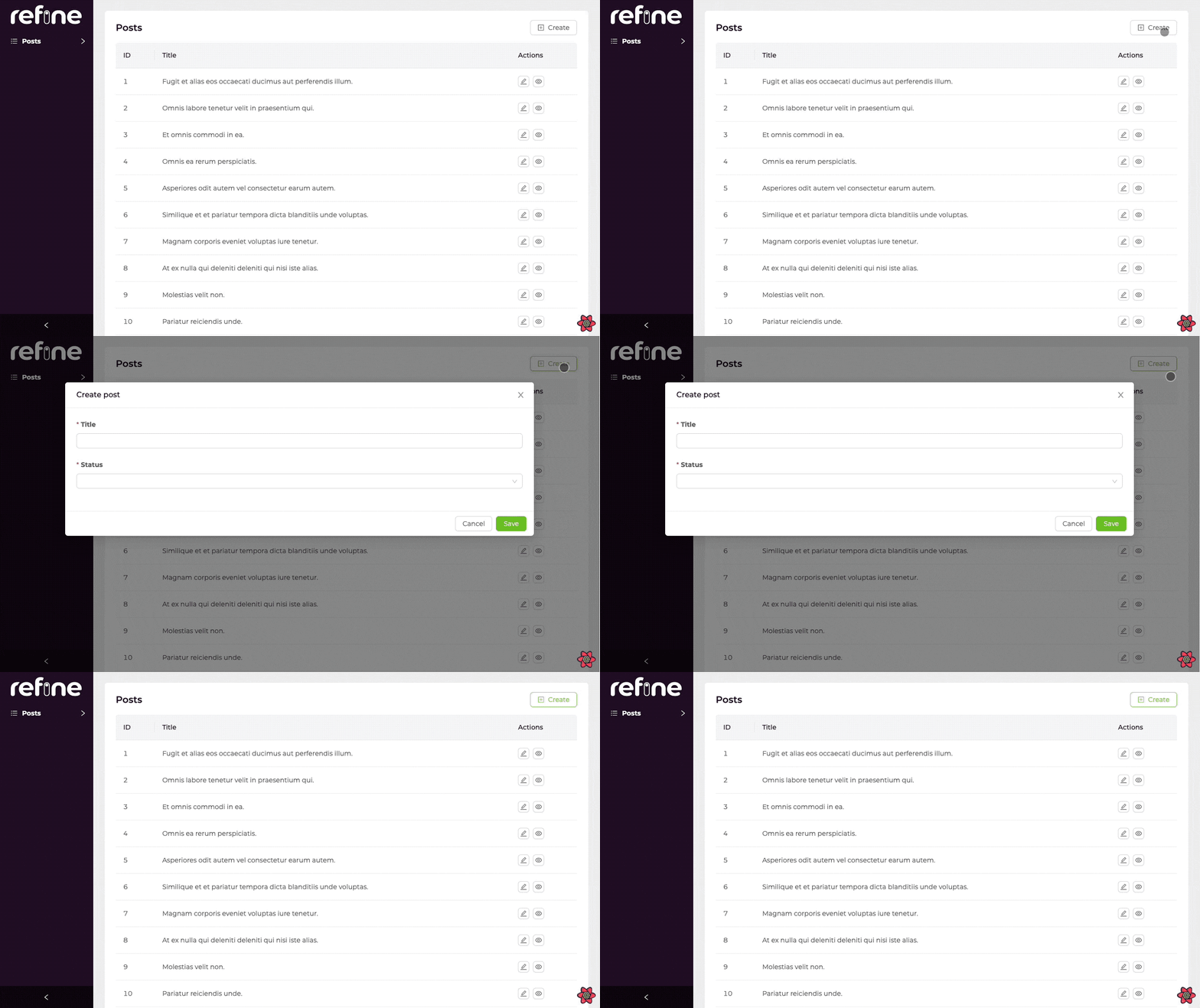
createButtonProps allows us to create and manage a button above the table.
    createButtonProps={{
        onClick: () => {
            show();
        },
    }}
This code block makes <Modal> appear when you click the button.
Edit Modal
Let's learn how to add editing capabilities to records that will be opening form in Modal by using the action prop.
import {
    useModalForm,
    Modal,
    Form,
    Create,
    Radio,
    List,
    Table,
    EditButton,
    Input
} from "@pankod/refine-antd";

export const PostList: React.FC = () => {
    const {
        modalProps,
        formProps,
        show,
        id,
    } = useModalForm<IPost>({
        action: "edit",
    });

    return (
        <>
            <List>
                <Table>
                    ...
                    <Table.Column<IPost>
                        title="Actions"
                        dataIndex="actions"
                        key="actions"
                        render={(_value, record) => (
                            <EditButton onClick={() => show(record.id)} />
                        )}
                    />
                </Table>
            </List>
            <Modal {...modalProps}>
                <Form {...formProps} layout="vertical">
                    <Form.Item label="Title" name="title">
                        <Input />
                    </Form.Item>
                    <Form.Item label="Status" name="status">
                        <Radio.Group>
                            <Radio value="draft">Draft</Radio>
                            <Radio value="published">Published</Radio>
                            <Radio value="rejected">Rejected</Radio>
                        </Radio.Group>
                    </Form.Item>
                </Form>
            </Modal>
        </>
    );
};

interface IPost {
    id: number;
    title: string;
    status: "published" | "draft" | "rejected";
}
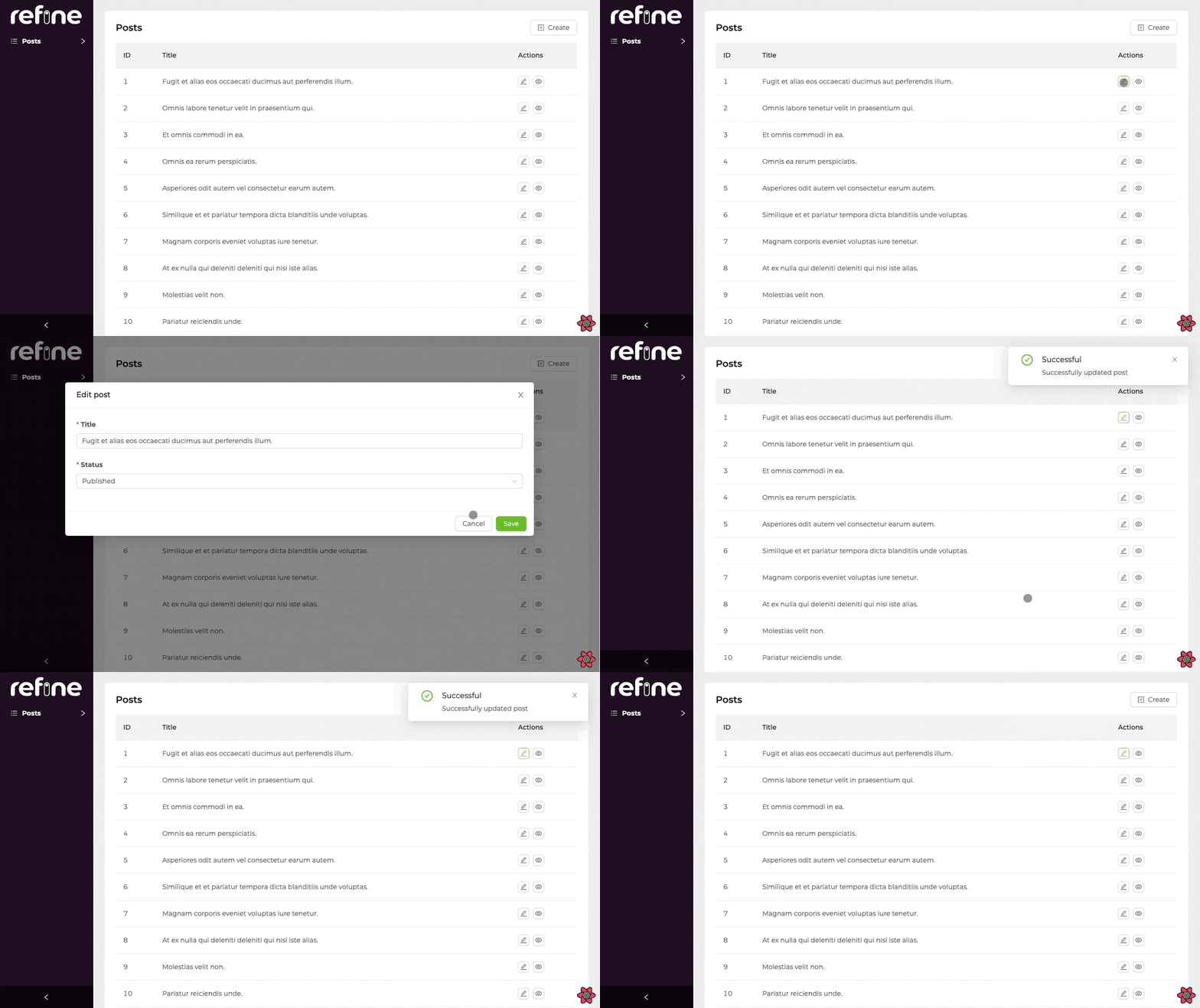
refine doesn't automatically add a edit button to the each record in <PostList> which opens edit form in <Modal> when clicked.
So, we have to put the edit buttons on our list. In that way, <Edit> form in <Modal> can fetch data by the record id.
<Table.Column<IPost>
    title="Actions"
    dataIndex="actions"
    key="actions"
    render={(_value, record) => <EditButton onClick={() => show(record.id)} />}
/>
Don't forget to pass the record id to show to fetch the record data. This is necessary for both edit and clone forms.
API Reference
Properties
*: These props have default values inRefineContextand can also be set on <Refine> component.useModalFormwill use what is passed to<Refine>as default but a local value will override it.
**: If not explicitly configured, default value ofredirectdepends on whichactionused. Ifactioniscreate,redirects default value isedit(created resources edit page). Ifactioniseditinstead,redirects default value islist.
Return Value
| Key | Description | Type |
|---|---|---|
| show | A function that can open the modal | (id?: BaseKey) => void |
| formProps | Ant Design form props | FormProps |
| modalProps | Props for managed modal | ModalProps |
| formLoading | Loading status of form | boolean |
| submit | Submit method, the parameter is the value of the form fields | () => void |
| visible | Whether the modal dialog is visible or not | boolean |
| close | Specify a function that can close the modal | () => void |
| defaultFormValuesLoading | DefaultFormValues loading status of form | boolean |
| form | Ant Design form instance | FormInstance<TVariables> |
| id | Record id for edit action | BaseKey | undefined |
| setId | id setter | Dispatch<SetStateAction< BaseKey | undefined>> |
| queryResult | Result of the query of a record | QueryObserverResult<{ data: TData }> |
| mutationResult | Result of the mutation triggered by submitting the form | UseMutationResult<{ data: TData },TError, { resource: string; values: TVariables; }, unknown> |
Type Parameters
| Property | Desription | Default |
|---|---|---|
| TData | Result data of the query that extends BaseRecord | BaseRecord |
| TError | Custom error object that extends HttpError | HttpError |
| TVariables | Values for params. | {} |