useSimpleList
By using useSimpleList you get props for your records from API in accordance with Ant Design <List> component. All features such as pagination, sorting come out of the box.
Refer to Ant Design docs for <List> component information →
Usage
Let's assume that the data we will show in the table comes from the endpoint as follows:
[
    {
        "id": 182,
        "title": "A aspernatur rerum molestiae.",
        "content": "Natus molestias incidunt voluptatibus. Libero delectus facilis...",
        "hit": 992123,
        "category": {
            "id": 1,
            "title": "Navigating"
        }
    },
    {
        "id": 989,
        "title": "A molestiae vel voluptatem enim.",
        "content": "Voluptas consequatur quia beatae. Ipsa est qui culpa deleniti...",
        "hit": 29876,
        "category": {
            "id": 2,
            "title": "Empowering"
        }
    }
]
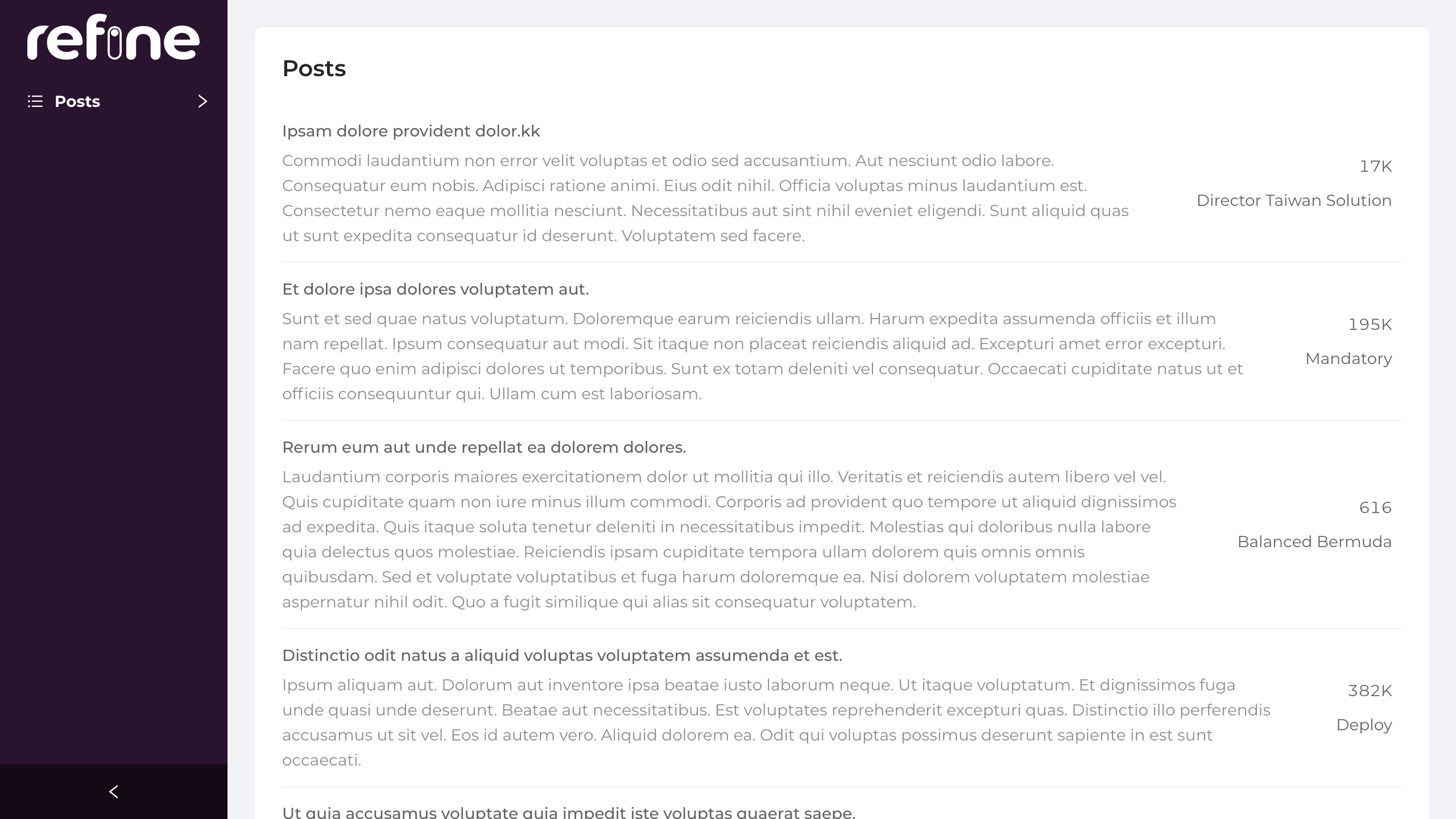
If we want to make a listing page where we show the title, content, hit and category.title values:
import {
    PageHeader,
    Typography,
    useMany,
    AntdList,
    useSimpleList,
    NumberField,
    Space,
} from "@pankod/refine-antd";

export const PostList: React.FC = () => {
    const { Text } = Typography;

    const { listProps } = useSimpleList<IPost>({
        initialSorter: [
            {
                field: "id",
                order: "asc",
            },
        ],
        pagination: {
            pageSize: 6,
        },
    });

    const categoryIds =
        listProps?.dataSource?.map((item) => item.category.id) ?? [];

    const { data } = useMany<ICategory>({
        resource: "categories",
        ids: categoryIds,
        queryOptions: {
            enabled: categoryIds.length > 0,
        },
    });

    const renderItem = (item: IPost) => {
        const { title, hit, content } = item;

        const categoryTitle = data?.data.find(
            (category: ICategory) => category.id === item.category.id,
        )?.title;

        return (
            <AntdList.Item
                actions={[
                    <Space key={item.id} direction="vertical" align="end">
                        <NumberField
                            value={hit}
                            options={{
                                // @ts-ignore
                                notation: "compact",
                            }}
                        />
                        <Text>{categoryTitle}</Text>
                    </Space>,
                ]}
            >
                <AntdList.Item.Meta title={title} description={content} />
            </AntdList.Item>
        );
    };

    return (
        <PageHeader ghost={false} title="Posts">
            <AntdList {...listProps} renderItem={renderItem} />
        </PageHeader>
    );
};

interface IPost {
    id: number;
    title: string;
    content: string;
    hit: number;
    category: { id: number };
}

interface ICategory {
    id: number;
    title: string;
}
You can use AntdList.Item and AntdList.Item.Meta like <List> component from Ant Design
To disable pagination, you can set hasPagination property to false which is true by default. If hasPagination has been set to false, pagination elements will be hidden in the <Table/>. If you want to handle the pagination on the client-side you can override the pagination property in tableProps.
API
Properties
Type Parameters
| Property | Desription | Type | Default |
|---|---|---|---|
| TData | Result data of the mutation. Extends BaseRecord | BaseRecord | BaseRecord |
| TError | Custom error object that extends HttpError | HttpError | HttpError |
| TSearchVariables | Antd form values | {} | {} |
Return values
| Property | Description | Type |
|---|---|---|
| queryResult | Result of the query of a record | QueryObserverResult<{ data: TData }> |
| searchFormProps | Ant design Form props | Form |
| listProps | Ant design List props | List |
| filters | Current filters state | CrudFilters |
| setFilters | A function that accepts a new filter state | - (filters: CrudFilters, behavior?: "merge" \| "replace" = "merge") => void - (setter: (previousFilters: CrudFilters) => CrudFilters) => void |