useStepsForm
useStepsForm allows you to manage a form with multiple steps. It provides features such as which step is currently active, the ability to go to a specific step and validation when changing steps etc.
useStepsForm hook is extended from useForm from the @pankod/refine-react-hook-form package.
Usage
We'll show two examples, one for creating and one for editing a post. Let's see how useStepsForm is used in both.
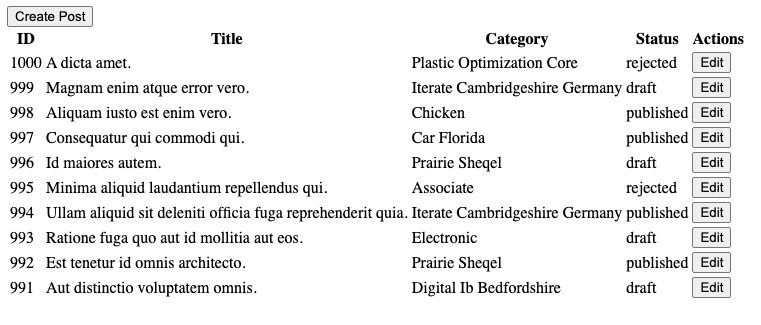
Let's create our <PostList> to redirect to create and edit pages.
PostList
In this component we will use useNavigation to redirect to the <PostCreate> and <PostEdit> components.
import { useTable, useNavigation, useMany } from "@pankod/refine-core";

import { ICategory, IPost } from "interfaces";

export const PostList: React.FC = () => {
    const { tableQueryResult } = useTable<IPost>({
        initialSorter: [
            {
                field: "id",
                order: "desc",
            },
        ],
    });
    const { edit, create } = useNavigation();

    const categoryIds =
        tableQueryResult?.data?.data.map((item) => item.category.id) ?? [];
    const { data, isLoading } = useMany<ICategory>({
        resource: "categories",
        ids: categoryIds,
        queryOptions: {
            enabled: categoryIds.length > 0,
        },
    });

    return (
        <div>
            <button onClick={() => create("posts")}>Create Post</button>
            <table>
                <thead>
                    <tr>
                        <th>ID</th>
                        <th>Title</th>
                        <th>Category</th>
                        <th>Status</th>
                        <th>Actions</th>
                    </tr>
                </thead>
                <tbody>
                    {tableQueryResult.data?.data.map((post) => (
                        <tr key={post.id}>
                            <td>{post.id}</td>
                            <td>{post.title}</td>
                            <td>
                                {isLoading
                                    ? "Loading"
                                    : data?.data.find(
                                          (item) => item.id == post.category.id,
                                      )?.title}
                            </td>
                            <td>{post.status}</td>
                            <td>
                                <button onClick={() => edit("posts", post.id)}>
                                    Edit
                                </button>
                            </td>
                        </tr>
                    ))}
                </tbody>
            </table>
        </div>
    );
};
Create Form
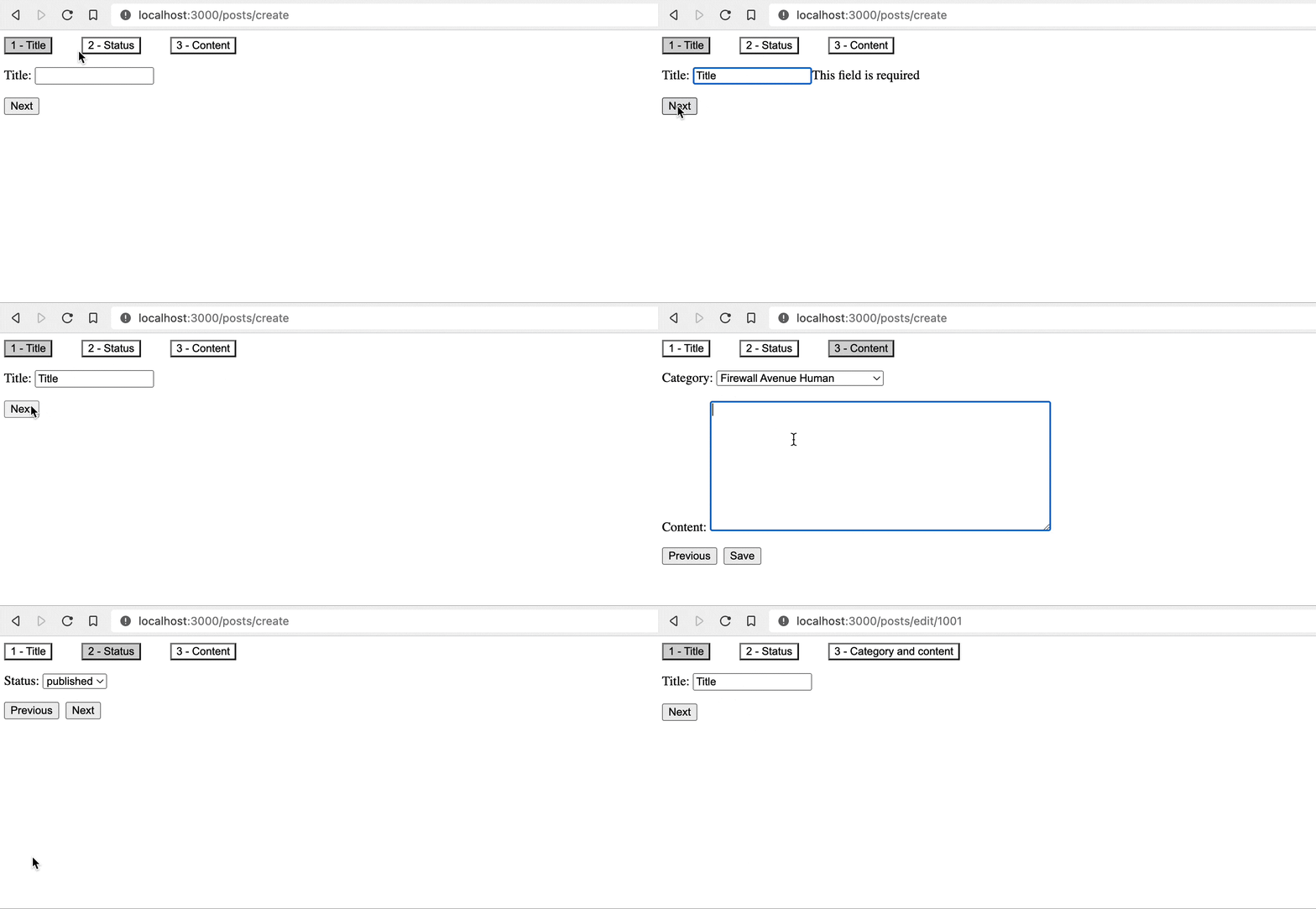
In this component you can see how useStepsForm is used to manage the steps and form.
import { useStepsForm } from "@pankod/refine-react-hook-form";
import { useSelect } from "@pankod/refine-core";

const stepTitles = ["Title", "Status", "Content"];

export const PostCreate: React.FC = () => {
    const {
        refineCore: { onFinish, formLoading },
        register,
        handleSubmit,
        formState: { errors },
        steps: { currentStep, gotoStep },
    } = useStepsForm();

    const { options } = useSelect({
        resource: "categories",
        defaultValue: queryResult?.data?.data.category.id,
    });

    // Where buttons are shown and where the form is submitted
    const renderFormByStep = (step: number) => {
        switch (step) {
            case 0:
                return (
                    <>
                        <label>Title: </label>
                        <input
                            {...register("title", {
                                required: "This field is required",
                            })}
                        />
                        {errors.title && <span>{errors.title.message}</span>}
                    </>
                );
            case 1:
                return (
                    <>
                        <label>Status: </label>
                        <select {...register("status")}>
                            <option value="published">published</option>
                            <option value="draft">draft</option>
                            <option value="rejected">rejected</option>
                        </select>
                    </>
                );
            case 2:
                return (
                    <>
                        <label>Category: </label>
                        <select
                            {...register("category.id", {
                                required: "This field is required",
                            })}
                        >
                            {options?.map((category) => (
                                <option
                                    key={category.value}
                                    value={category.value}
                                >
                                    {category.label}
                                </option>
                            ))}
                        </select>
                        {errors.category && (
                            <span>{errors.category.message}</span>
                        )}
                        <br />
                        <br />
                        <label>Content: </label>
                        <textarea
                            {...register("content", {
                                required: "This field is required",
                            })}
                            rows={10}
                            cols={50}
                        />
                        {errors.content && (
                            <span>{errors.content.message}</span>
                        )}
                    </>
                );
        }
    };

    if (formLoading) {
        return <div>Loading...</div>;
    }

    return (
        <div style={{ display: "flex", flexDirection: "column", gap: 16 }}>
            // Where step titles are shown
            <div style={{ display: "flex", gap: 36 }}>
                {stepTitles.map((title, index) => (
                    <button
                        key={index}
                        onClick={() => gotoStep(index)}
                        style={{
                            backgroundColor:
                                currentStep === index ? "lightgray" : "initial",
                        }}
                    >
                        {index + 1} - {title}
                    </button>
                ))}
            </div>
            <form autoComplete="off">{renderFormByStep(currentStep)}</form>
            // Where buttons are shown
            <div style={{ display: "flex", gap: 8 }}>
                {currentStep > 0 && (
                    <button
                        onClick={() => {
                            gotoStep(currentStep - 1);
                        }}
                    >
                        Previous
                    </button>
                )}
                {currentStep < stepTitles.length - 1 && (
                    <button
                        onClick={() => {
                            gotoStep(currentStep + 1);
                        }}
                    >
                        Next
                    </button>
                )}
                {currentStep === stepTitles.length - 1 && (
                    <button onClick={handleSubmit(onFinish)}>Save</button>
                )}
            </div>
        </div>
    );
};
Edit Page
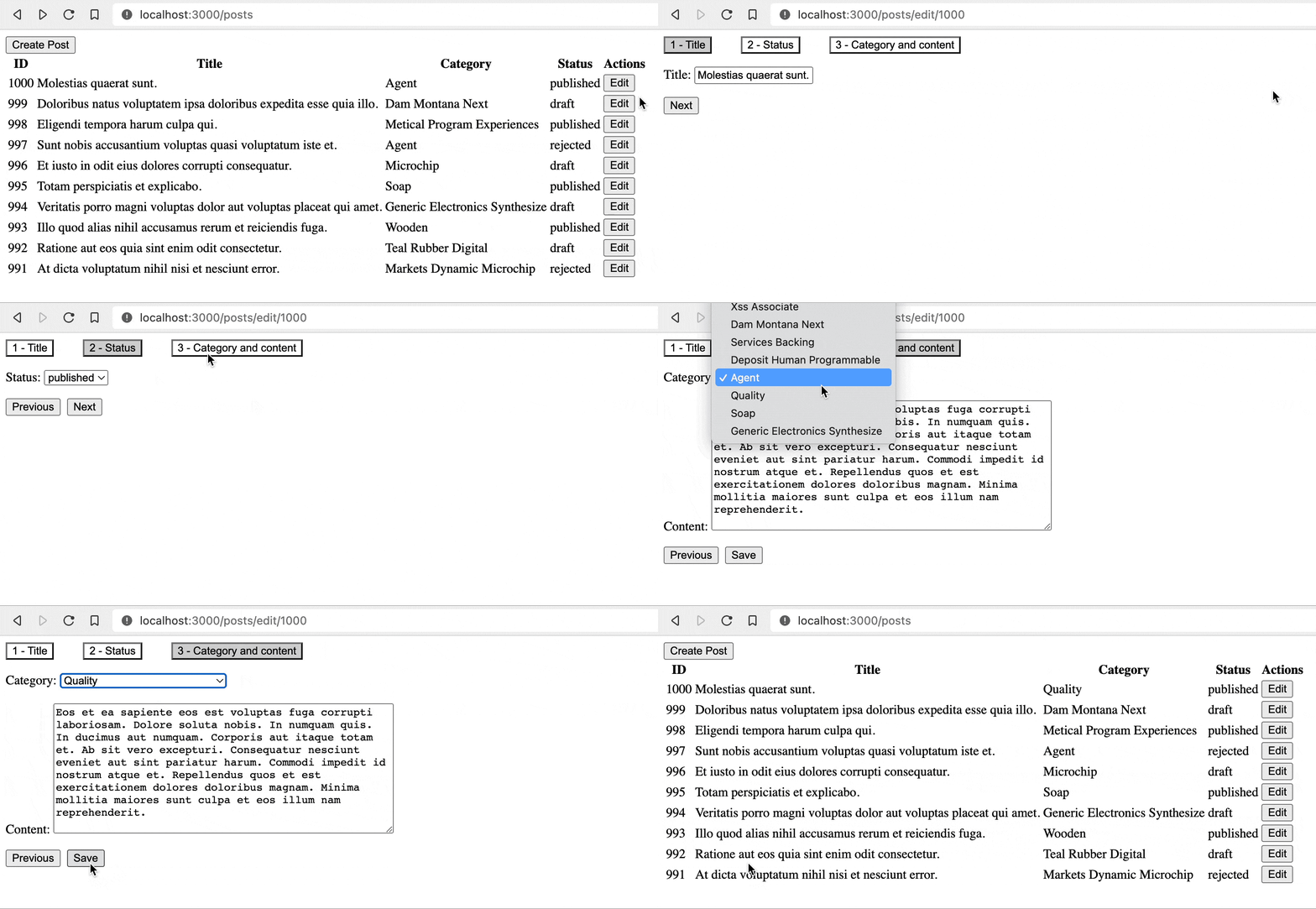
Magic, <PostCreate> and <PostEdit> pages are almost the same. So how are the form's default values set? useStepsForm does this with te id parameter it reads from the URL and fetches the data from the server.
You can change the id as you want with the setId that comes out of refineCore.
Another part that is different from <PostCreate> and <PostEdit> is the defaultValue value passed to the useSelect hook and the <select> element.
Refer to the useSelect documentation for detailed information. →
import { useStepsForm } from "@pankod/refine-react-hook-form";
import { useSelect } from "@pankod/refine-core";

const stepTitles = ["Title", "Status", "Category and content"];

export const PostEdit: React.FC = () => {
    const {
        refineCore: { onFinish, formLoading, queryResult },
        register,
        handleSubmit,
        formState: { errors },
        steps: { currentStep, gotoStep },
    } = useStepsForm();

    const { options } = useSelect({
        resource: "categories",
        defaultValue: queryResult?.data?.data.category.id,
    });

    // It handles which form elements render at which step.
    const renderFormByStep = (step: number) => {
        switch (step) {
            case 0:
                return (
                    <>
                        <label>Title: </label>
                        <input
                            {...register("title", {
                                required: "This field is required",
                            })}
                        />
                        {errors.title && <span>{errors.title.message}</span>}
                    </>
                );
            case 1:
                return (
                    <>
                        <label>Status: </label>
                        <select {...register("status")}>
                            <option value="published">published</option>
                            <option value="draft">draft</option>
                            <option value="rejected">rejected</option>
                        </select>
                    </>
                );
            case 2:
                return (
                    <>
                        <label>Category: </label>
                        <select
                            {...register("category.id", {
                                required: "This field is required",
                            })}
                            defaultValue={queryResult?.data?.data.category.id}
                        >
                            {options?.map((category) => (
                                <option
                                    key={category.value}
                                    value={category.value}
                                >
                                    {category.label}
                                </option>
                            ))}
                        </select>
                        {errors.category && (
                            <span>{errors.category.message}</span>
                        )}
                        <br />
                        <br />
                        <label>Content: </label>
                        <textarea
                            {...register("content", {
                                required: "This field is required",
                            })}
                            rows={10}
                            cols={50}
                        />
                        {errors.content && (
                            <span>{errors.content.message}</span>
                        )}
                    </>
                );
        }
    };

    if (formLoading) {
        return <div>Loading...</div>;
    }

    return (
        <div style={{ display: "flex", flexDirection: "column", gap: 16 }}>
            // Where step titles are shown
            <div style={{ display: "flex", gap: 36 }}>
                {stepTitles.map((title, index) => (
                    <button
                        key={index}
                        onClick={() => gotoStep(index)}
                        style={{
                            backgroundColor:
                                currentStep === index ? "lightgray" : "initial",
                        }}
                    >
                        {index + 1} - {title}
                    </button>
                ))}
            </div>
            <form autoComplete="off">{renderFormByStep(currentStep)}</form>
            // Where buttons are shown
            <div style={{ display: "flex", gap: 8 }}>
                {currentStep > 0 && (
                    <button
                        onClick={() => {
                            gotoStep(currentStep - 1);
                        }}
                    >
                        Previous
                    </button>
                )}
                {currentStep < stepTitles.length - 1 && (
                    <button
                        onClick={() => {
                            gotoStep(currentStep + 1);
                        }}
                    >
                        Next
                    </button>
                )}
                {currentStep === stepTitles.length - 1 && (
                    <button onClick={handleSubmit(onFinish)}>Save</button>
                )}
            </div>
        </div>
    );
};
API Reference
Properties
*: These properties have default values inRefineContextand can also be set on the <Refine> component.
It also accepts all props of useForm hook available in the React Hook Form.
Return values
| Property | Description | Type |
|---|---|---|
| steps | Relevant state and method to control the steps | StepsReturnValues |
| refineCore | The return values of the useForm in the core | UseFormReturnValues |
| React Hook Form Return Values | See React Hook Form documentation |
StepsReturnValues
Property Description Type currentStep Current step booleangotoStep Allows you to go to a specific step. (step: number) => void